
.png?height=200&name=DS%20Resource%20Center%20Post%20Cover%20Templates%20(2).png)
Every interior designer knows that sourcing products can easily become a chore. When everything...
The way you source products and FF&E just got a whole lot smarter.... and cooler 😎.
🔗 Download the Chrome Extension and start clipping.
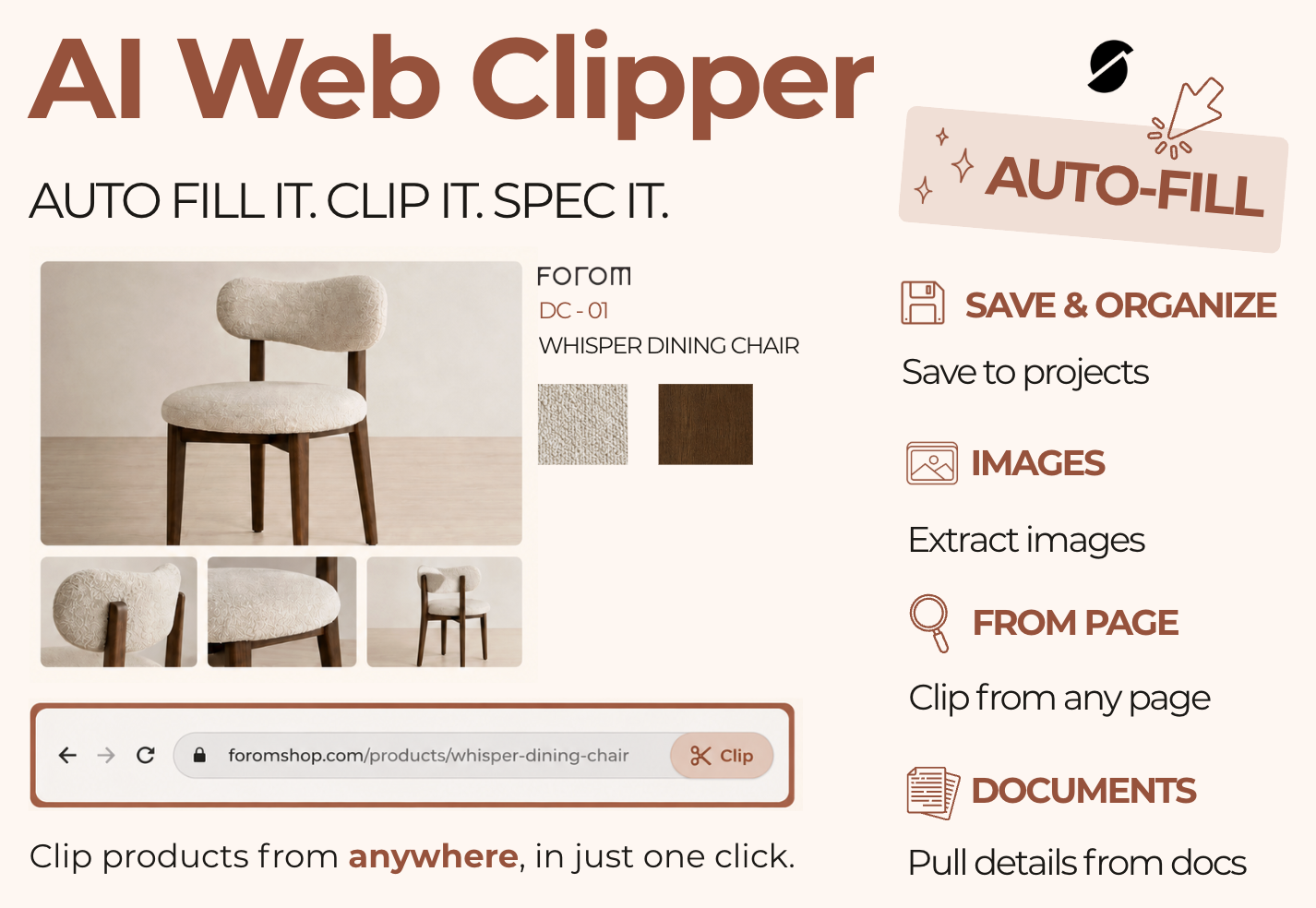
DesignSpec's Web Clipper just got a major upgrade. Our AI Web Clipper has arrived, built to take you from product discovery to specification in just a few clicks.
Let AI automatically capture product details, images, and documents for your specs. Easily organize by saving directly to your projects.
No more copying and pasting information field by field. No more jumping between tabs to build out a spec. Just clip, review, and keep designing.
“We wanted the Web Clipper to feel almost effortless. Find a product, click once, and let AI handle the tedious parts. A lot of work went into making it understand product information from all kinds of sources, so designers can spend less time copying and organizing data and more time actually designing.”
— Milagros Laco, Quality Analyst
Just clip it ✂️ we’ll handle the details.
Designers source from everywhere. Manufacturer websites, product pages, PDFs, tear sheets, images, and more. The new AI Web Clipper brings all of that information into one streamlined workflow.
With just one click, you can capture what you need, let AI help fill in the details, and save it directly to your project.
Less copying. Less data entry. More time designing.
What’s new in the Web Clipper?
AI auto-clipping is the biggest addition, but it’s not the only improvement in this release. We’ve also added and upgraded several features to make sourcing and specification even easier:
- AI-powered auto-clipping: Let AI capture and populate product details for you.
- Lead times: Add lead time information directly to your specs for better project and procurement planning.
- Improved PDF clipping: More reliable and consistent document capture.
- Update images from the Web Clipper: Keep product imagery current without rebuilding your spec.
- Create and update Spec Library items: Build and maintain your reusable specification library directly through the clipping workflow.
- Custom List attributes: Custom spec attributes now support the List data type for even more flexibility.
From inspiration to specification in one click.
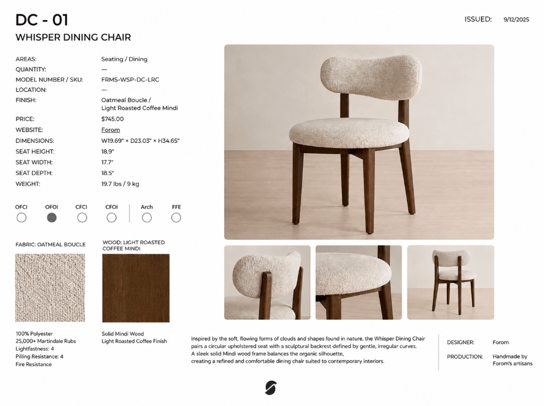 Product and FF&E data that designers
need rarely lives in one neat place.
The AI Web Clipper is designed to make that process feel more connected.
When you find something you want to specify, let AI fill in the details, and save it where it belongs. No bouncing between tabs to copy dimensions. No manually downloading and re-uploading every image. No rebuilding the same product information from scratch.
Your sourcing process stays focused on what matters: finding great products and creating great spaces.
“The goal was simple: one click, and DesignSpec does the busywork. The new AI Web Clipper turns what used to be hours of copying, downloading, and organizing into seconds.”
— Milagros Laco, Quality Analyst
Already have the DesignSpec Web Clipper?
There’s no need to download it again.
Simply close and reopen your browser, and the Web Clipper will update to the latest version automatically.
If you haven’t installed it yet, download the DesignSpec's Chrome Extension and start clipping products from across the web.
Ready to spec smarter?
We’re building DesignSpec to take the repetitive work out of specifications and give designers more time for the work that actually needs their expertise. The new AI Web Clipper is another big step toward that goal.
Find it. Clip it. Spec it. Start your free trial 🔗 designspec.com